Revenue looks great. Profit tells another story.
Sales keep coming in, but shipping, fees, discounts, and product costs eat into what you keep.
THE SHOPIFY PROFIT AUDIT
Understand your product margins, uncover selling costs, and make more informed pricing decisions — without another monthly subscription.
Sales keep coming in, but shipping, fees, discounts, and product costs eat into what you keep.
Without a clear cost breakdown, it's difficult to see which products deserve a closer look.
Shipping, packaging, product costs and payment fees live in different places. Bring the relevant costs into one audit.
Orders in one place. Costs in another. Hours spent trying to understand your margins.
You want to review your numbers when you need to — without adding another recurring software bill.
Stop guessing. Start understanding your margins.
THE WORKFLOW
Three simple steps. No complicated setup.
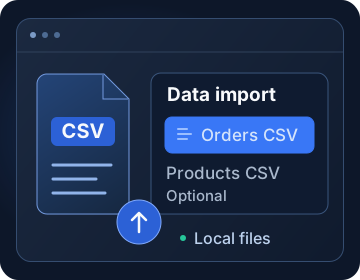
Import your Orders CSV and optionally your Products CSV. No Shopify account connection required.
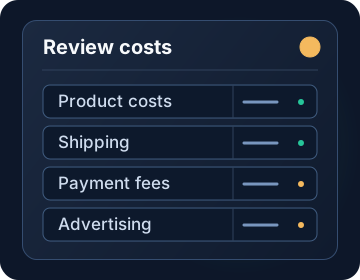
Review product costs, shipping, payment fees, and advertising expenses to build a clearer picture of your margins.
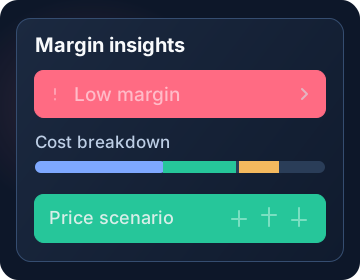
Review estimated margins, investigate flagged products, and test pricing scenarios before making decisions.
Concept illustrations · not store results
Less guesswork. A clearer view of your margins.
Explore the ProductProduct walkthrough
Margentro combines your Shopify exports with the costs you enter. Explore the rule-based audit in these authentic screenshots from the working Margentro application, using a fictional store.
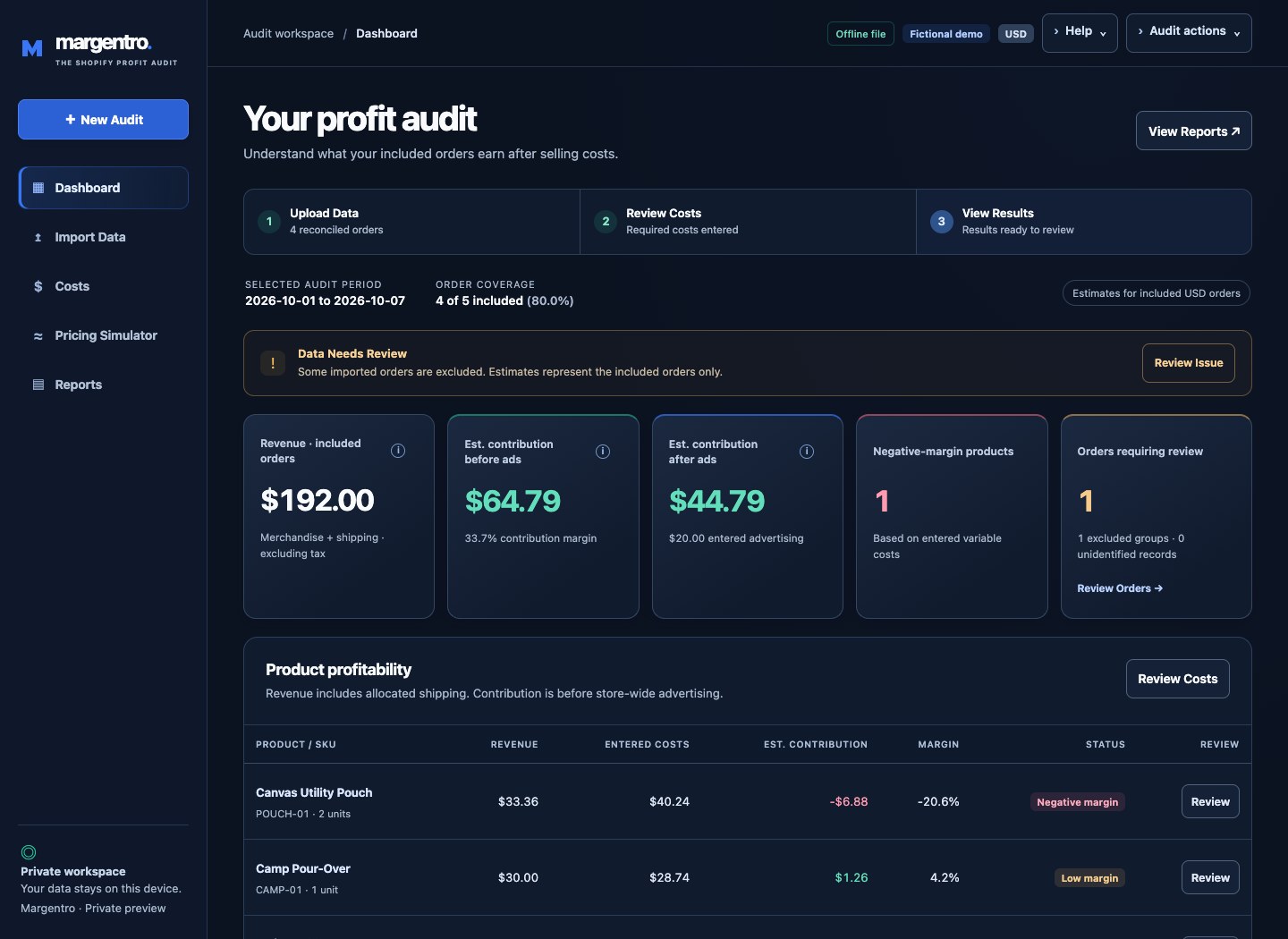
The $44.79 estimate covers four included orders after $20.00 in sample ad spend. The audit flags one partially refunded order as excluded.
Open full-size screenshot ↗
Canvas Utility Pouch shows an estimated contribution of −$6.88 and a −20.6% margin in this sample audit.
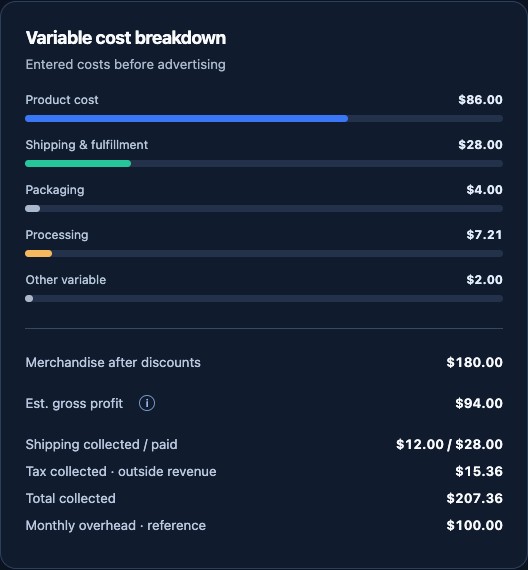
In this sample audit, product costs total $86.00 and shipping and fulfillment total $28.00. The breakdown shows packaging and processing separately.
The scenario holds the other modeled inputs constant. Use it to compare options while considering how demand could change.
What you can see
Review estimated contribution by SKU and spot products that lose money or sit close to break-even.
Adjust price, product cost, shipping, or fees to compare per-unit contribution under the inputs you choose.
See order coverage, missing costs, and exclusions for refunds or totals that don’t reconcile.
Export results to CSV, print to PDF, or save a local audit file you can reopen later.
Data privacy
The downloadable desktop app opens as a local HTML file and runs offline. The mobile PWA requires an initial online load on an approved HTTPS host before offline use is available. Shopify exports are processed on your device. Margentro works with CSV files and requires no Shopify account connection. Opening an audit and saving your results both use local files. There is no automatic cross-device sync. Hosted app loading involves normal asset requests; your imported financial data is not uploaded by the analysis tools.
Saved audits contain business data in plain text. Keep them where you keep your other financial records.
Introductory pricing
Run an audit when you want to review margins, plan a price change, or check selling costs. Pay once for the downloadable workspace, with no recurring subscription.
The Shopify Profit Audit
$99 USD · one-time purchase
Run each audit on demand using Shopify exports. Margentro has no live Shopify integration or recurring financial monitoring. Use the estimates alongside your accounting records.
Coming Soon. Purchases are not available yet.
FAQ
Import a Shopify Orders CSV with the standard order and line-item fields. A Products CSV is optional and can supply catalog costs by SKU. You can also enter costs manually. Each CSV can contain up to 100,000 records, subject to a 10 MB phone-sized-screen limit or 25 MB on desktop. Large exports may need a shorter date range. If your export contains multiple currencies, review them one currency at a time.
Margentro estimates gross profit and contribution for included, reconciled orders using your cost inputs. Accounting net profit, overhead allocation, and tax reporting are outside its scope. Estimated contribution after ads also requires complete order dates, your confirmation of export coverage, and advertising dates that match the selected audit period.
Full, partial, and ambiguous refunds are flagged and excluded from contribution calculations. You can review the excluded orders and see refund amounts when the export reports them.
Open Margentro on your computer and choose the CSVs you exported from Shopify. The app processes those files locally in your browser. The desktop download works offline; the future hosted PWA requires an initial online load and confirmed offline availability.
It uses rule-based checks on the imported orders and costs. For example, it flags products with negative estimated contribution and shows the figures behind the finding.
Margentro is Coming Soon and purchases are not available. See purchase information and review the terms at any future checkout before buying.
For customer support, email [email protected].
Questions about Margentro? Email [email protected].
Margentro is Coming Soon. This website does not accept payments or orders.
The audit processes Shopify CSVs on your device. Saved audits and reports can contain sensitive business data. This marketing website has no financial-file upload, account registration or payment form. Read our Privacy Policy.
Purchases are not available on this website, and no payments are collected here. Review the purchase terms presented with any future checkout before buying.
The screenshots and workflow illustrations explain the product. They do not activate or unlock the full application.
Margentro estimates gross profit and contribution using included Shopify orders and the costs you provide. Refunds and orders with unreconciled totals are flagged and excluded. Pricing scenarios show modeled outcomes from the inputs you choose. Accounting net profit and tax reporting are outside the product’s scope.
The downloadable desktop application runs in a browser. Browser and operating system file, sharing and printing behavior can vary. This website presents the product through responsive illustrations and screenshots.